CS Inventory
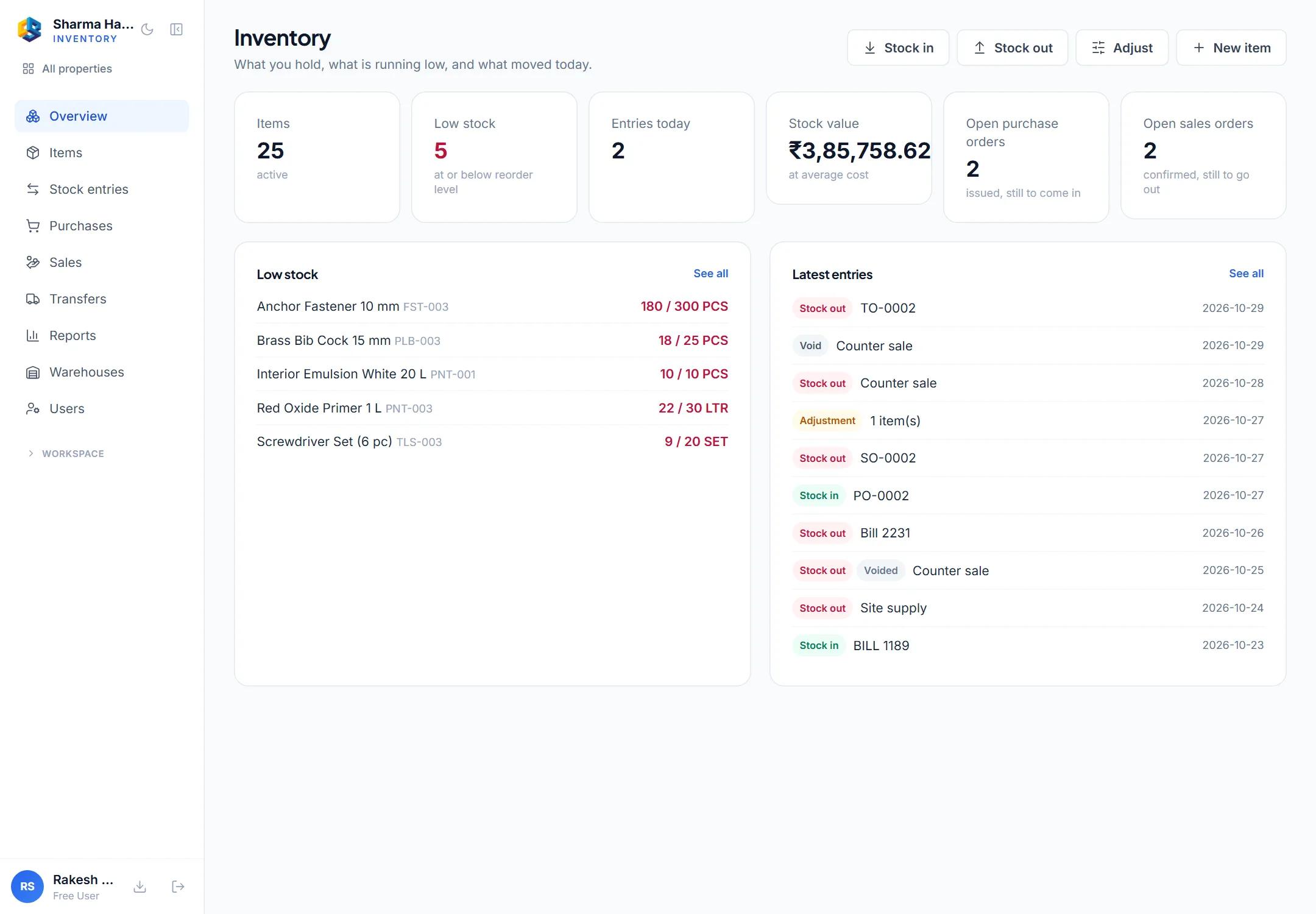
CS Inventory keeps your items and their stock: opening stock, stock in, stock out and adjustments, each one written to a stock ledger that is never edited — a mistake is voided, so the history stays true. See stock by warehouse, what is running low, and every movement of an item.
Plans from
CS Inventory Standard
₹949/ month
+ 18% GST · 3 users included
Subscriptions follow our Terms and Refund Policy.
See it working
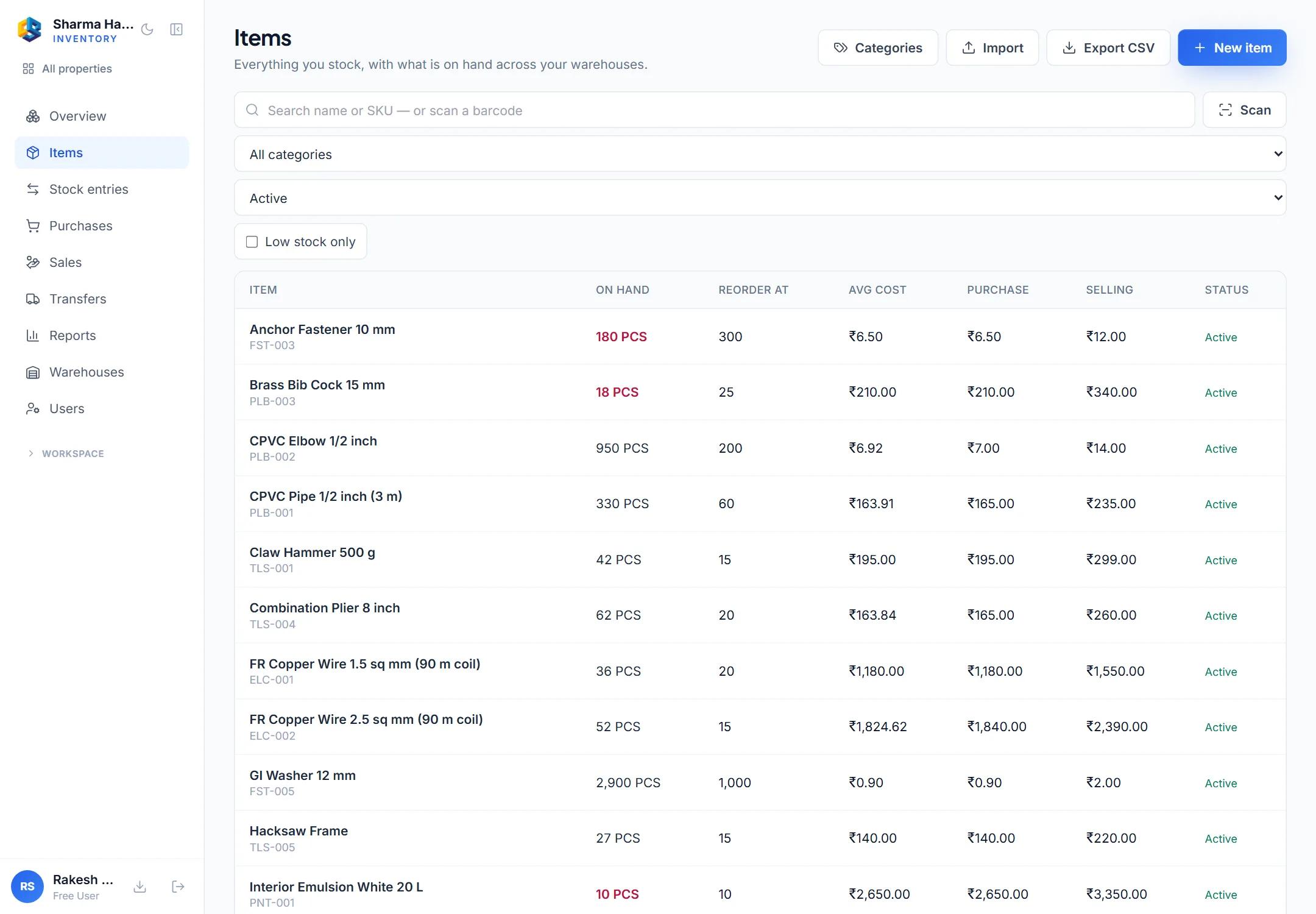
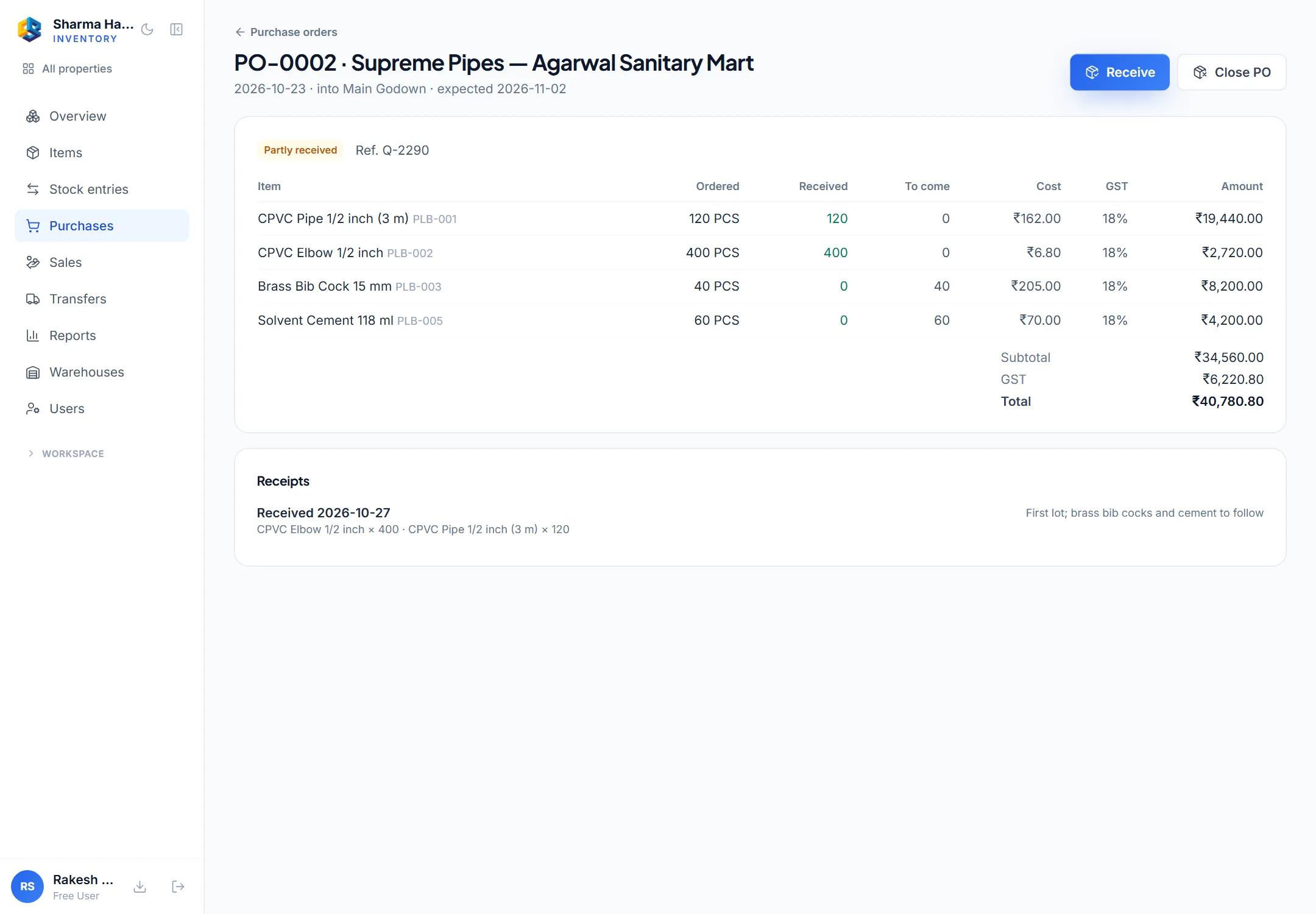
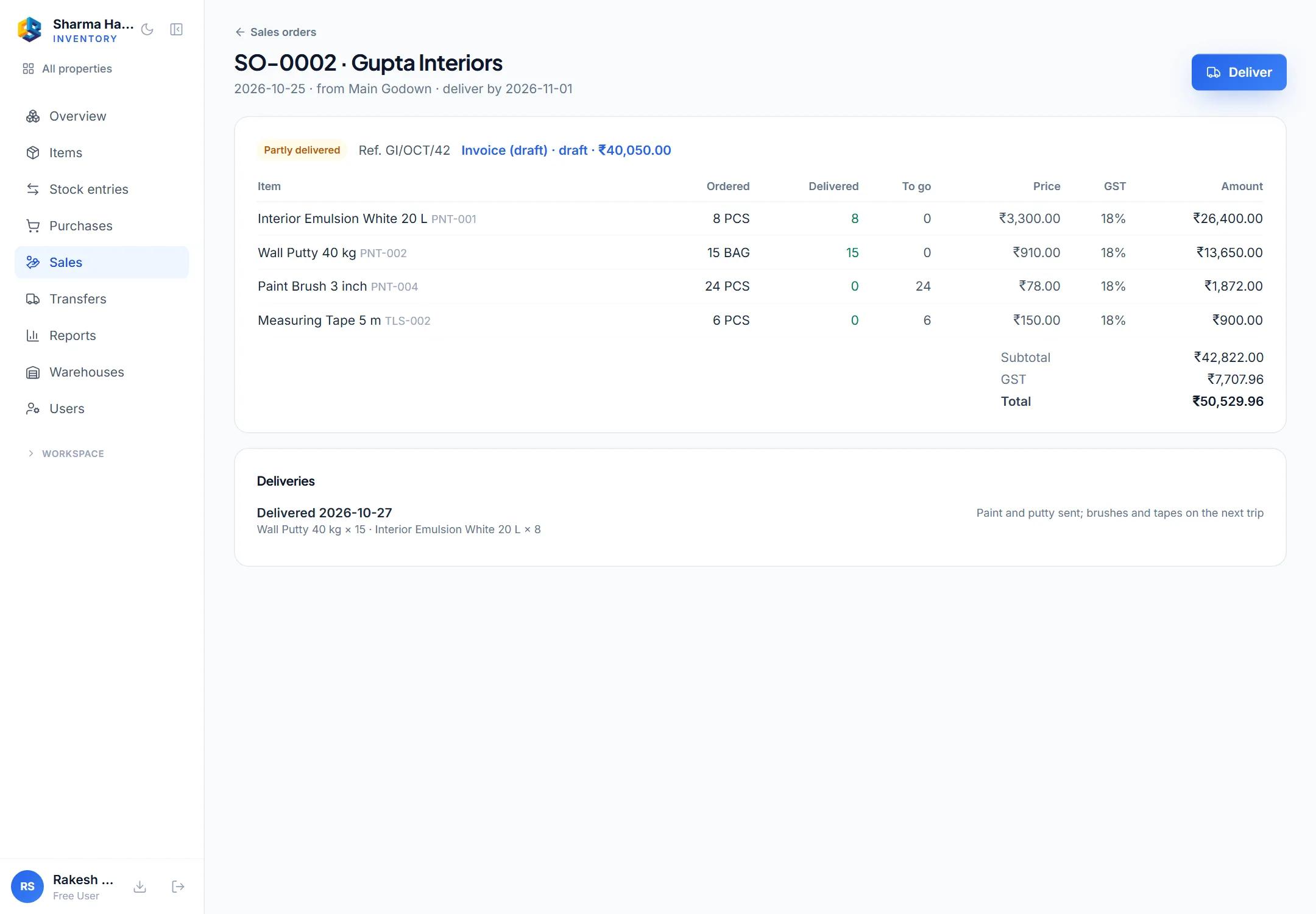
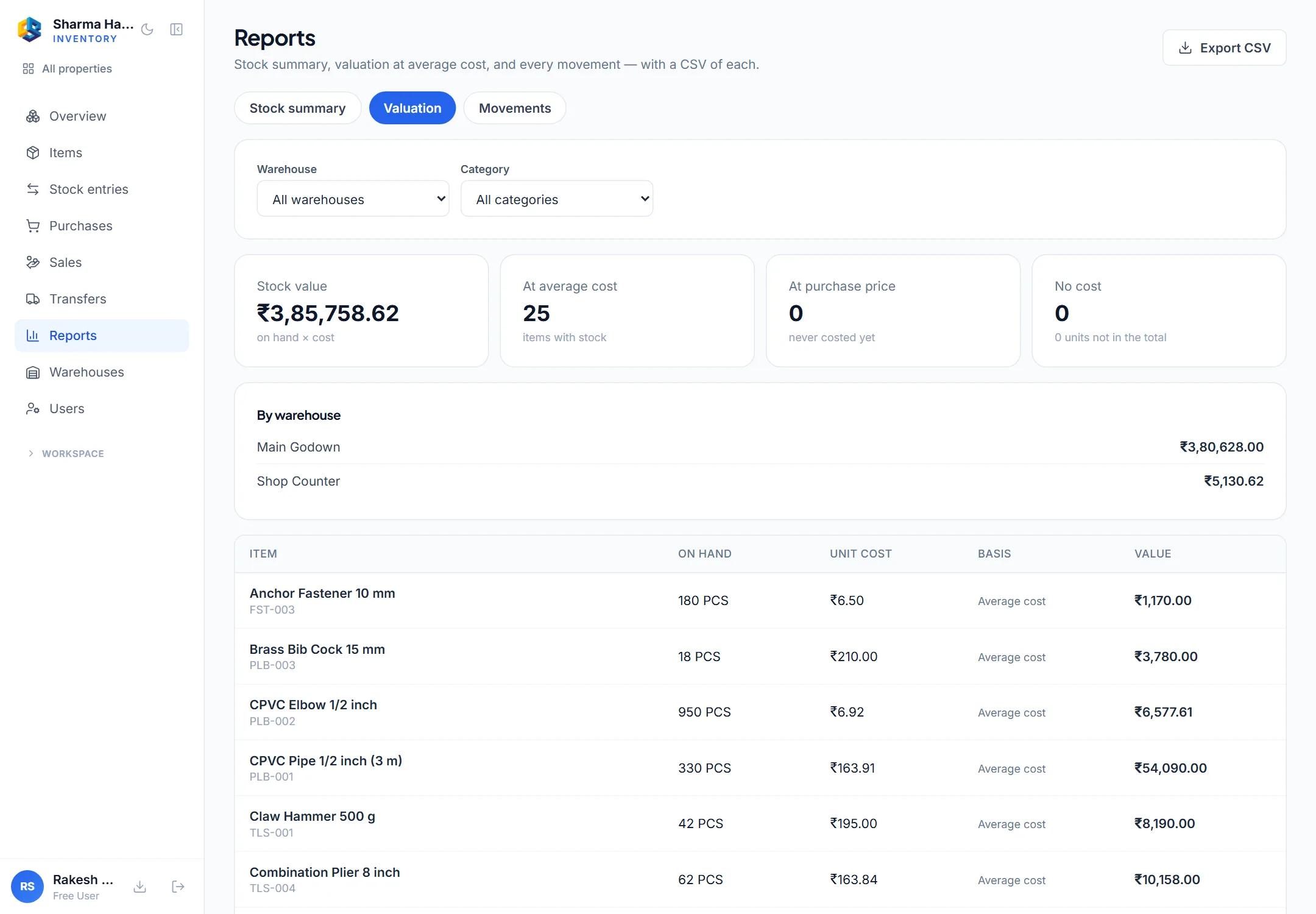
A hardware shop’s own stock — two godowns, its suppliers’ orders and its customers’. Pick a line to see where it is.
What you get
Each line names the first plan that has it — every plan above it has it too.
Every item you stock, with its code, tax details, buying and selling price, and the level to reorder at.
Every plan
Record what you start with, what arrives, what leaves and what a count corrects.
Every plan
Every change is a line in the ledger. A wrong entry is voided with a reason, so the history stays true.
Every plan
What is in each godown, which items are below their reorder level, and every movement of one item.
Every plan
Choose who uses Inventory, and whether each person runs it, records stock or only looks.
Every plan
Your items and their stock as a spreadsheet file, whenever you need it.
Every plan
Plans and pricing
One price per plan, with its users included. Move up the moment you need more.
Each plan’s price is for the whole team it includes, per month, before GST. 18% GST is added on the invoice.
For a shop or a small godown
₹949
per month + 18% GST
billed monthly
15-day free trial · no card needed
Includes
Support: Email, next business day
All prices are in Indian rupees, before GST. Your quote shows the exact total for your team, GST included, before you pay anything.
| Plan | Standard₹949 / month |
|---|---|
| What you get | |
| Items with SKU, HSN, GST, prices and reorder level | Included |
| Opening stock, stock in, stock out and adjustments | Included |
| Every change in a stock ledger — mistakes voided, never edited | Included |
| Stock by warehouse, low-stock list and item history | Included |
| Owner / admin and staff roles | Included |
| CSV export of items | Included |
| Limits | |
| Users included | 3 |
| Maximum users | Unlimited |
| Warehouses | 2 |
| Extra warehouse | ₹499 a month, on request |
| Sales orders a month | 1,000 |
| Support & security | |
| Support | Email, next business day |
| Uptime commitment | Best effort |
| GST invoice, ex-GST pricing | Included |
Built for
How buying works
You see the full price, GST included, before anything is charged.
Compare the plans, then choose the app, the plan and how many people will use it.
It shows the exact price with GST, like the invoice it becomes. Nothing is charged for asking.
Plans with a free trial start at no cost. A paid plan switches on the moment the payment goes through.
Your team signs in straight away, and every payment comes with a GST invoice for your books.
Questions
Trials, GST invoices, changing plans, cancelling and your data.
Yes. Start it in one step — nothing is charged during it, and it does not turn into a paid plan unless you pay.
Only the people you choose as Inventory users. The owner is always one; the rest of your workspace is not counted unless you add them.
Where a plan lands when it is cancelled or not paid: the owner alone, one warehouse and up to 50 items. Nothing you recorded is deleted — over those limits you can still read and remove, but not add, until you choose a plan again.
One price for your workspace, with three users included and extra users on top, for the billing period you choose — the plans on this page show each price before GST. Pick a plan and how many people will use it, and you get a quote with the exact total, GST included, before you pay anything — or start a free trial from the same quote.
Yes. Add users from your workspace at any time; the extra users are charged for the rest of the current billing period. Removing users lowers the bill from the next billing date.
Yes. Prices are shown before GST, and every payment comes with a GST invoice made out to your company — with your GSTIN when you add it to your billing details. Your quote shows the GST before you pay, exactly as the invoice will.
Yes, from your workspace. A move to a higher plan applies at once, and the difference for the rest of the current billing period is charged when you make it. A move to a lower plan, or to a different billing period, applies from your next billing date. During a free trial, moving up costs nothing.
From your workspace, at any time. It keeps working until the end of the period you have paid for — or the end of the trial — and no further invoice is issued. You can undo the cancellation before that date. A period already paid for is not refunded; our Refund Policy has the details.
You own it. Every workspace is kept separate from every other, and every plan keeps an audit trail of who changed what. You can export your data at any time, and if you leave we keep it for you to export — we will tell you at least 30 days before we ever delete a closed workspace. Our Privacy Policy explains how we look after it.
Online, in rupees, through our payment partner PayU. A paid plan switches on the moment the payment goes through; if a payment fails, nothing is switched on and nothing is charged.
Something else? Talk to us.
Sign in or create your account, choose a plan and the number of people, and get your quote in a minute.
Subscriptions follow our Terms and Refund Policy.